Play your PS5 or Xbox with the mouse and keyboard you already own.
ConsoleMouse
Your console. Your mouse and keyboard.
ConsoleMouse lets you play your PS5 or Xbox with the mouse and keyboard you already own. It runs on Windows, macOS, Linux and Raspberry Pi.
What it does
- Install ConsoleMouse is coming soon on Steam for Windows, macOS and Linux. Wishlist it now. The Raspberry Pi version is sold only on consolemouse.com. You set it up in your browser.
- Link your console ConsoleMouse finds your PS5 or Xbox on your home network. You link it once, step by step.
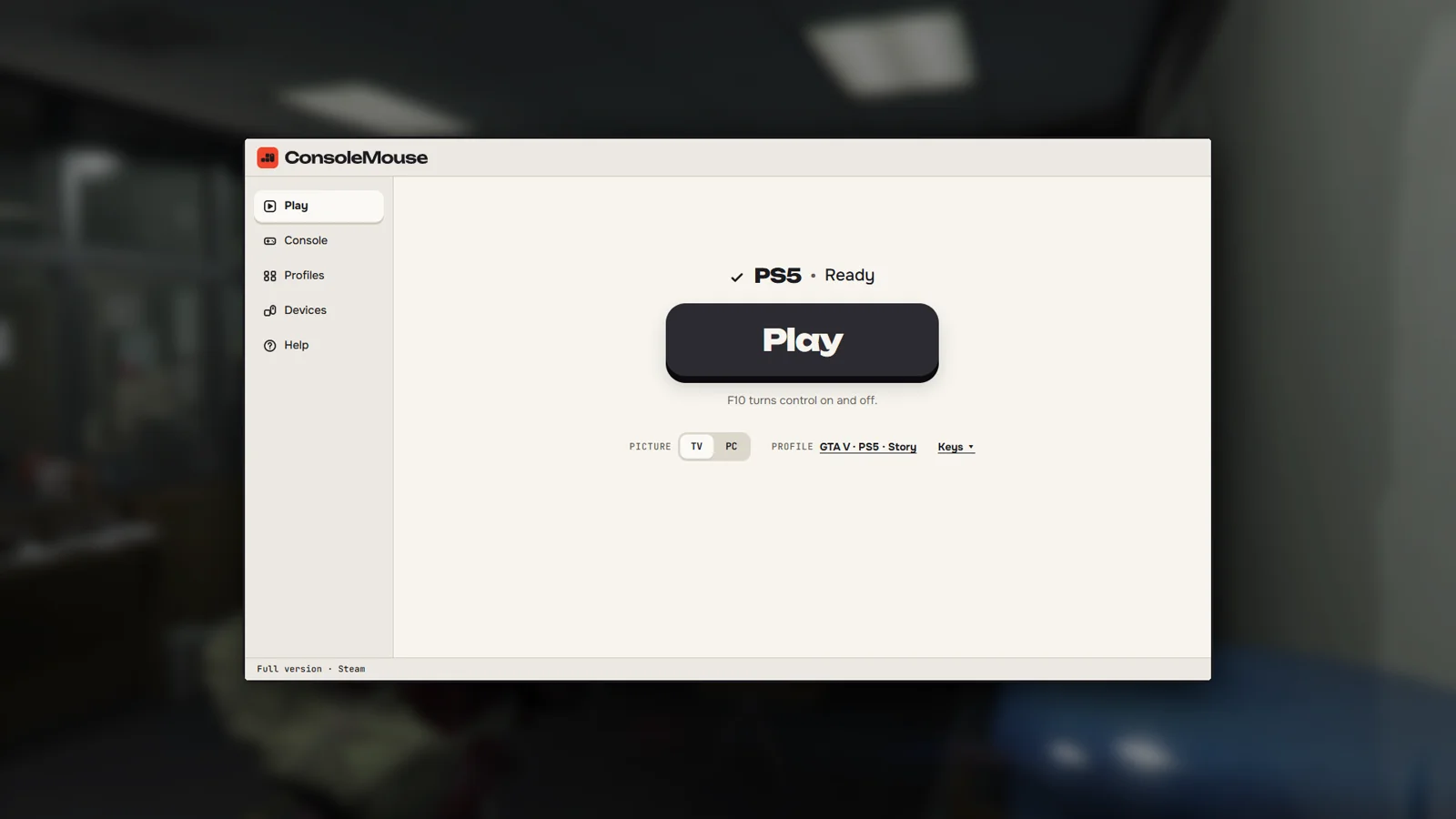
- Play Pick your game and start. F10 turns control on and off.
Picture on the TV or on your computer
TV Play keeps the picture on your TV. PC Play shows it in a window on your computer. You pick one each time you play. On the Raspberry Pi it is TV Play.
One profile per game
A profile sets your keys and your mouse for one game. GTA VI works from day one. ConsoleMouse ships with a GTA VI profile for PS5 and Xbox. The tuned profile is added on 19 November.
Mouse to stick
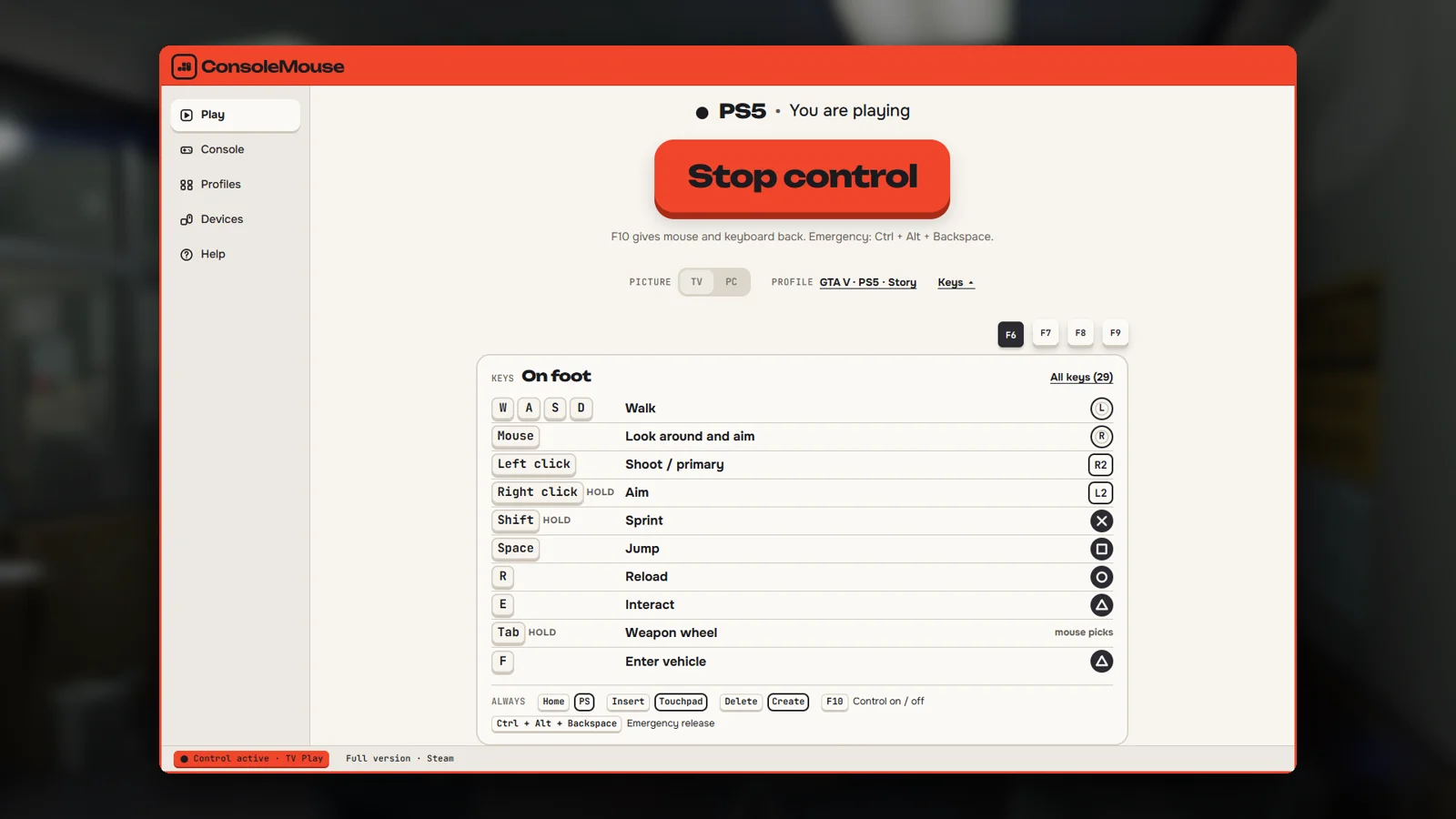
Mouse movement becomes stick input. Keys become buttons. Copy a profile and change any key you like.
What you need
- Your console Your own PS5 or Xbox.
- Your computer Windows 11 (64-bit); macOS 12 or newer, Apple chip or Intel; a Linux PC with Steam; or a Raspberry Pi. An older computer is enough.
- Your mouse and keyboard Plug them into your computer or Raspberry Pi. On a Mac, use a USB or Bluetooth mouse.
- Your home network Your console and your computer or Raspberry Pi sit on the same network. A network cable is the steadier choice.
How it is built
I assign. They build. I review. ConsoleMouse is built the same way as everything else down here: agents investigate and write the code, and the decisions come back to me.
- Engine. Written in Rust. It runs as its own process and is licensed under the AGPL.
- Shell. A Tauri app around it: the window, the setup and the profiles.
- Testing. On a real PS5 at home. The agents start a session, drive the console through ConsoleMouse and check what happens on screen before the work comes back for review.
When
ConsoleMouse is coming soon on Steam for Windows, macOS and Linux. Launch price EUR 9.99 on Steam. The Raspberry Pi version is sold only on consolemouse.com.
On the drawing
- Your mouse and keyboard go through your computer or Raspberry Pi. No adapter box, no capture card.
- TV Play keeps the picture on the TV connected to your console. PC Play brings picture and sound to your computer.
- In PC Play, Sharpen picture sharpens the 1080p stream for a bigger monitor. On a Windows PC with an NVIDIA RTX card it uses NVIDIA RTX Video, otherwise FSR 1.
- One profile per game. GTA VI works from day one.
- F10 turns control on and off. The emergency key hands mouse and keyboard back at once: Ctrl + Alt + Backspace, on a Mac Control + Option + Delete.
Coming soon on Steam.
Wishlist on Steamconsolemouse.com
See how the rest of stifler.dev is built →
PlayStation and PS5 are trademarks of Sony Interactive Entertainment. Xbox is a trademark of Microsoft Corporation. ConsoleMouse is not affiliated with Sony, Microsoft, Rockstar Games or Take-Two.